Stretch Out & Relax

By Melissa Donovan

Digital UV inks offer elongation features designed to withstand the intense thermoforming process, while simultaneously maintaining durability and flexibility. Traditional practices of decorating vacuum-, pressure-, or drape-formed products—three common types of thermoforming—involve hand painting or screenprinting prior to thermoforming, or manually adhering printed vinyl after a piece is thermoformed. Digitally printed thermoforming applications offers advantages such as shorter runs, efficient prototypes, and increased customization.

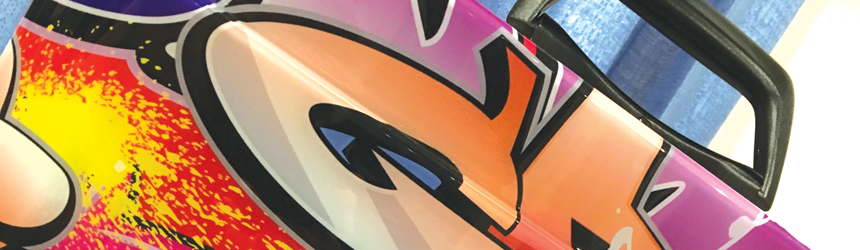
Above: Featuring 1,000 percent elongation, Fujifilm Uvijet KV inks offer adhesion to a range of materials and excellent finishing properties such as bending, creasing, routing, and guillotining.

Direct to Digital
Manufacturers that provide thermoforming capabilities should be aware of the benefits UV digital printing offers. Primarily, the time saved in printing to the material prior to thermoforming is one of the most influential reasons to consider adding a UV digital printer or outsourcing to a print shop with the capability and know how.

“Digital UV promotes a much faster prototyping turnaround and offers the ability to provide shorter run lengths without sacrificing margin,” shares Josh Hope, senior manager, Mimaki USA, Inc.

In this space, according to Richard Hulme, global sales and product manager, Sun Chemical Corporation, digital print offers advantages commonly found in other sectors effected by digital, including personalization; one-off prints; and reduced lead time, waste, and stock holdings.

When not digitally decorated, a third-dimensional (3D) formed sign for example, may be hand decorated. This process could take days or weeks, says Mike Plier, ink business development director, EFI. “With digital direct-to-substrate printing that process can be done in hours, including the time and trials it takes to ensure a design is correctly aligned with a mold. Making test prints to try on a mold is also costly and time consuming with screenprinting, but again, it is something that can be done in minutes with a run of one piece on digital,” he continues.

Markets that Matter
Digital print’s relationship with thermoforming benefits traditional applications in this segment like signage and automotive parts, but it also transports these pieces into new arenas. Any market looking for a cost-effective way to manufacture 3D prototypes is a fit.

Heather Rockow, energy curable business development, Kao Collins Inc., lists several verticals poised to benefit from digitally decorated thermoformed products—sign makers, in-mold decoration part makers, toy manufacturers, helmet manufacturers, electronics manufacturers, and appliance manufacturers.

“No matter the market or customer, the benefit from digital’s relationship with thermoforming is effectively the ability to deliver prototypes quickly and easily and getting the process closer to the consumers,” admits Hulme.

Plier says EFI’s customers have created a number of items using digitally printed pieces that are then thermoformed. These include ATV fenders, custom marine and automotive parts, hunting blinds, car top carriers, and shower and bath enclosures.

“It is very good for any market that needs small lot/variable data printing with 3D signage since there is no need to prepare plates or screens. In addition, all of the printing artwork information can be stored via computer, saving space in their workplace as well,” adds Kenji Suzuki, director of research and development inkjet technology, INX International Ink Co.

The signage market is of particular interest to many vendors in the space. “The chance to make unique signs in full color gives an additional benefit to existing market applications,” says Pedro J. Martinez, CEO, Afford Industrial.

Jay Roberts, product manager, UV printers, Roland DGA Corporation, argues that most of the demand comes from sign and packaging manufacturers, but he’s also experienced interest from advertising agencies. These companies regularly explore new avenues for point of purchase displays and enjoy experimenting with unique and different print methods to diversify from the competition.

Performing Under Pressure
Digital UV ink used for thermoforming should feature elasticity, adhesion, and durability. The vacuum-, pressure-, and drape-forming process involves intense heat, pressure, and stretching. And after that, finishing tools are often used. The ink must be able to withstand all of these challenges and yield a high-quality print. In addition to physical characteristics, specialty options such as white or clear inks are also attractive for aesthetic reasons.

According Plier, UV thermoform-able ink systems, once cured, create a free film enabling the ink system to become malleable when thermoformed. These free-film properties are also the reason why inks withstand the forming process without cracking or loss of color densities for both first and second surface applications.

“The ability to create signs with heavy curves, bends, and bulges without cracking the ink is a huge advantage. With ordinary inks, cracking or elongating under the stretch can greatly distort and interrupt the graphic—negative effects that are very noticeable in signage text, especially when signs are backlit,” adds Roberts.

Whether used indoors or outdoors, an ink’s elongation properties should be 1,000 percent, recommends Kaz Kudo, associate marketing manager, Fujifilm North America Corporation, Graphic Systems Division. “This allows UV inks to stretch without cracking during the forming process of the printed piece while still providing strong and vibrant colors.”

If the ink does not feature a wide color gamut, cautions Plier, it will change during the heating, pressure, or stretching that occurs during the thermoforming process.

Post process should also be considered. “The ink has to successfully bond with the substrate and offer a good performance to shearing, milling, cutting, and bonding to top coatings as well,” suggests Villanueva.

Hulme believes in addition to adhesion, surface resistance, and long-term flexibility, a good backing white and highly lightfast pigments are necessary. “White is important in the case of clear signs, but it also needs to transmit a nice clean white when backlit. The highly lightfast pigments are important as thermoforming applications are often used outdoors in challenging conditions.”

“It may make sense to look for a digital UV ink that offers white and clear inks for the widest range of application and substrate options,” agrees Hope. Other aesthetically important considerations involve “fabricators checking the specific ink’s properties to ensure intricate textures of decorative fine prints can be retained even after molding and that raised areas of thickly applied ink and double/triple layer printing also stay intact without cracking.”

Open to Options
Several ink manufacturers craft specific chemistries of their products for thermoforming applications. Many ink sets are developed for use in a particular digital printer.

Afford suggests its 838 Series of UV -curable pigmented inks for use in thermoforming applications. The inks print on most plastics, vinyl, treated metals, and treated glass, all while offering good adhesion, scratch resistance, chemical resistance, flexibility, and elasticity. Elongation of up to 600 percent can be achieved.

EFI’s SuperDraw UV inks offer elongation, adhesion, and consistent post-draw opacity for thermoforming applications on PETG, acrylic, polycarbonate, polystyrene, and PVC. The ink is resistant to both heat forming and finishing, which results in no chipping or cracking. EFI SuperDraw UV is available in CMYK and white. It is recommended for use with the 64-inch EFI H1625-SD hybrid printer.

Fujifilm provides Uvijet KV inks, which are specifically designed for decorative print used in thermoforming. Featuring 1,000 percent elongation, the ink set offers adhesion to a range of materials and excellent finishing properties such as bending, creasing, routing, and guillotining. Uvijet KV is available in CMYK and white, with an anti-reflective low-satin finish. The ink is developed for Fujifilm Acuity Select and Acuity Select HS platforms.

Kao Collins’ inks used for thermoforming fall under its Ultra portfolio of UV-curable inks. They address both the graphic arts and industrial printing market.

Mimaki announced LUS-350 UV LED ink in 2016. The durable and flexible ink is specially created for the thermoforming market. When cured it is resistant to scratching and when heated it can stretch up to 350 percent. After molding it does not crack, making it ideal for printing to PETG, acrylic, polycarbonate, polystyrene, and PVC. The ink is available in CMYK and white for use on the Mimaki JFX200-2513 and UJF-7151 plus UV LED flatbed printers. A clear option is also available for the UJF-7151 plus.

In early 2012, Roland launched its ECO-UV S inks for packaging, in particular it found great success in printing on shrink wrap material. Thermoform producers noticed this and began using the product in their own processes. ECO-UV S stretches up to 220 percent with no peeling or cracking. This particular formulation is available in CMYK and white on the Roland VersaUV LEJ-640 hybrid UV LED flatbed printer and the VersaUV LEC series of UV printer/cutters.

Sun Chemical offers high adhesion with its Crystal UVG, which delivers elongation properties up to 250 percent. This can be increased even further depending on the application, with the chemistry capable of achieving elongation up to 500 percent. It provides ideal adhesion to vinyl, ABS, acrylic, polyester, polycarbonate, and polypropylene. Crystal UVG is designed for a variety of digital presses from a number of original equipment manufacturers.

Digital and Thermoforming
UV ink sets designed for use in printing to materials that will eventually undergo the thermoforming process are flexible, yet durable. With this winning combination, fabricators in many industries benefit from the advantages digital printing technologies present, including shorter turnaround times, less waste, decreased error, and increased options for unique one offs.

Mar2018, Industrial Print Magazine
Round & Round We Go

By Melissa Tetreault

With today’s technology, digital printers have the ability to output onto almost any material. This includes both flat shapes and circular objects. There are printers dedicated to printing to cylindrical items, or certain small format flatbeds can be equipped with an optional rotary tool. Each option opens up a world of possibilities with the potential to customize on either a production-based level or target other segments where short runs and customization are attractive.

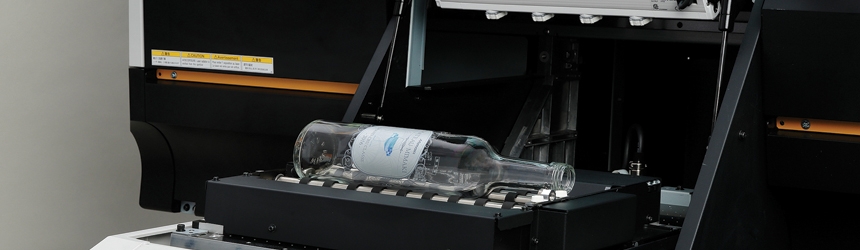
Above: Mimaki’s UJF-3042 MkII works with the Kebab MKII to print on cylindrical objects.

The Demand for Cylindrical
Current interest in cylindrical printing is driven exponentially by consumer desire for customization. Drinkware, like cups, water bottles, mugs, and even wine bottles are ideal candidates in addition to a number of other pre-manufactured objects. “Brand owners are really looking at the benefit of eliminating cost and making a bigger impact on the store shelves. By replacing a label, they are reducing steps in the production process and discovering that the application of impactful graphics doesn’t have to be a rectangular panel on the side of their product,” explains Jim Lambert, VP/GM, INX International Ink Co.

According to Dave Conrad, director of sales and marketing, Mutoh America, Inc., “the need to customize or personalize objects is driving applications for this type of printing.” He points to popular objects like water bottles, candles, decorative tins, glassware, and vases.

“Particularly in the awards and personalization segment, digital printing onto cylindrical objects enables customized premium objects—such as stainless steel tumblers. Even printing directly to bottles is now more widely seen in consumer applications such as wine bottles,” agrees Josh Hope, senior manager, Mimaki USA, Inc.

Customers can drink beverages in style while promoting sustainability. According to Jessica Makrinos, marketing specialist, Inkcups Now, “it supports a healthy lifestyle of drinking more water and the containers are more environmentally friendly and reusable. Style with technological advances are also present, as some of these copper lined stainless vessels are able to keep drinks cold for 12 hours and hot for six hours.”

“Helping to drive this demand is consumer reuse of water bottles and sports bottles by participants in exercise classes, yoga classes, and biking groups. This is something that is not only great for the planet, but also for the businesses that offer such products,” agrees Jay Roberts, product manager, UV printers, Roland DGA Corporation.

As Conrad shared, cylindrical printing capabilities go beyond drinkware. Makrinos points to cosmetics and barware. While Hope cites bottle sleeves, candle holders, packaging, and even objects such as bowling pins. Eric Henzie, director of marketing, Engineered Printing Solutions (EPS), also suggests such items as chemical containers, smaller disposable propane/fuel tanks, and pens.

In all of these scenarios, direct print serves more than a decorating purpose. “Labels and packaging are meant to give information to the user, especially in pharmaceutical and cosmetic applications. Digital direct printing is ideal for this need, since it is able to output sharp, readable font in any size,” explains Juan Kim, CEO, Valloy Incorporation.

Demand for digitally printed cylindrical products is seen in a variety of settings ranging from promotional to retail and special events. One valuable advantage of this type of printing is the ability to “quickly and easily customize products for the events industry such as weddings and special occasions, as this is also a market seeing interest in this type of printing,” shares Conrad.

These items are produced quickly and feature a memorable charm because of their personalization benefits. They are used as “promotional products, collegiate and professional licensed goods, retail, personalized goods, and short-run production packaging,” continues Makrinos.

“We see demand coming from advertising specialty companies that support events that are venue or location specific, regional craft brewers, and sporting goods companies that produce and market active and/or premium drinkware,” explains Henzie.

Dedicated or Jig
Cylindrical printing typically occurs on either a dedicated printer or a flatbed printer that utilizes an optional tool like a spindle jig. Manufacturers may prefer a dedicated device if the object it primarily produces is cylindrical. On the other hand, a flatbed with a rotary tool option is ideal for those printing to a variety of shapes.

“The option for cylindrical printing workflow is ideal for those requiring versatility. The ability to print onto objects other than cylinders provides the ability to offer complete campaigns with confidence that all finished goods will be consistent in quality, look, and feel,” says Hope.

“A standalone printer specifically designed for printing on cylindrical items limits you to just that type of application while a flatbed with a spindle jig allows for printing on other objects as well as cylindrical items and expands market reach,” agrees Conrad.

Dedicated cylindrical printers are ideal for manufacturers solely focused on products like drinkware. “Flatbed machines with add-on attachments can be too slow to do any real production and are best for sampling. Digital printing on cylindrical and tapered items is a very difficult thing to do properly with speed and simplified changeover—something that delivers high quality, full color images on a variety of drinkware, shapes, and materials is ideal,” adds Makrinos.

Lambert says these more robust machines generally include infeed and exit systems that handle the cylindrical substrate in the process. “You can look at these as tools that are added to make the process more efficient.”

According to Henzie, the decision to use a dedicated printer versus one that works with a rotary tool is based on production requirements. “If a customer requires a rate of 60 to 80 parts per hour, they should consider purchasing a standalone printer design with a specific fixture or fixtures that handle the range of objects they wish to produce. These systems require that the operator load and print one object at a time,” he shares.

Now to Print
We’ve broken down select cylindrical printers on the market—dedicated and rotary jig—here.

Dedicated Device
EPS recently related the XD-360˚, designed for the mid-range production of bottles, cans, and cups. It is multi-fixtured, built with up to eight fixtures, which enable it to process up to eight items in a cycle. A motion conveying unit allows for programming different stoppages along the conveyor. A customizable solution, it can be configured with pretreatment, post curing, or automated loading/unloading options. According to the company, the XD-360˚ is capable of producing an average of 800 parts per hour in full color on glass, metal, or plastic objects up to 150 millimeters in diameter and 250 millimeters in length.

The Helix by Inkcups is a dedicated cylindrical inkjet printer for straight-walled cylinders and tapered cups. It is designed to print superior quality single or multicolored images on drinkware, barware, sport bottles, and cups. The Helix prints full CMYK plus white at 360 degrees and up to 4.25 inches in length with a resolution of 1,200×1,200 dpi. Speed is dependent on image size but typical production speeds for standard size logos is 250 parts per hour.

Innovative Digital Systems offers the Revolution 360˚, a UV LED curable inkjet printer engineered specifically for printing on cylindrical objects. It offers CMYK plus white and varnish at a resolution up to 1,400×900 dpi. Circular objects in lengths between 4.3 to 13 inches and outer diameters between 1.5 and 4.7 inches are able to be printed. The standard print area length is 2.9 inches but is extendable up to 5.9 inches with the option of two UV lamps running in tandem.

INX offers the CP800 UV Digital Cylindrical Proofer, designed specifically for proofing onto metal cans. The system uses an ink set design to cure with LED light tuned to a specific wavelength. The cans spin and are cured every revolution.

Xerox Corporation released its Direct to Object Inkjet Printer in 2016. It prints onto 3D objects at up to 30 cycles per hour, with the ability to have multiple objects per cycle at up to 1,200×1,200 dpi. The printer supports plastic, metal, glass, and ceramic. The imaging area is 2.8×12 inches and maximum object volume is up to one cubic foot, allowing for direct printing to cups, buckets, and even paint cans.

Flatbed with Jig
Direct Color Systems’ Direct Jet UV LED printers are designed for use with an EasyCyl attachment, making cylindrical printing possible. According the company, the attachment allows for printing a 5×5-inch full-color logo in less than two minutes. The printers are equipped with CMYK and white, which allows printing to more than just white or light colored objects.

GCC recently announced its 24×20-inch JF-240UV flatbed printer, which prints CMYK and optional varnish and white. A rotary attachment is available to extend print possibilities onto cylindrical objects like cups and mugs.

Graphics One provides a rotary tool for its Compress iUV-600s UV LED flatbed printer. The printer features a 24×18-inch flatbed print area with a ten-inch opening for material thickness. It offers print speeds of over 100 square feet per hour at 1,440 dpi.

LogoJET provides a 360 degree rotary printing attachment designed for the company’s UV2400 flatbed printer. It magnetically attaches to switch from flatbed to cylindrical printing and allows users to print the full circumference of cylindrical objects 0.5 to 4.5 inches in diameter. Objects up to 12.5 inches in length can be printed on and interchangeable rollers accommodate tapered objects like wine glasses.

Mimaki offers the Kebab, Kebab MkII, and Kebab MkII L options for cylindrical printing. They are compatible with the UJF-6042 and UJF-3042 HG; UJF-3042 MkII; and UJF-6042 MkII and UJF-7151 plus, respectively. The print area is 360 degrees, with no limitation. The Kebabs enable printing on cylindrical objects ranging from about one to over 26.5 inches in length (Kebab MkII L) with a diameter up to 4.33 inches.

Mutoh’s ValueJet 626UF 23.3×19-inch desktop UV LED printer is available with an optional rotary attachment for printing to cylindrical objects. The printer features six-color capabilities—CMYK, white, and varnish. As with all Mutoh printers, the ValueJet 626UF uses Smart Printing technologies such as Intelligent Interweave printing technique.

Roland released the RotaPrint attachment for its VersaUV LEF series of UV flatbed printers in 2015. The optional tool operates with the printer’s existing feed system and allows users to print to glass, plastic, metal, or ceramic objects with a diameter between 1.6 and three inches.
Valloy offers the TOPAZET UV 6045F UV LED inkjet flatbed printer with a special jig for cylindrical objects and irrgular objects. The printer supports CMYK plus white, varnish, and silver metallic.

Circling In
Digital cylindrical printers are ideal for manufacturers. The production possibilities are endless, from candles to cups, vases, lamp shades—anywhere in your home or office with a cylindrical shape is a fit. With consumers demanding personalization and customization, now is the time to consider digital printing as an efficient, cost-effective decorative method.

Mar2018, Industrial Print Magazine

Coated Perfection

By Olivia Cahoon

Packaging manufacturers use coatings to enhance a product’s aesthetic and provide an extra layer of protection. By using a coating, packaging products remain durable and appealing during converting, filling, and shipping to deliver a polished display for shelving units.

Before selecting a coating, it’s important that manufacturers consider if it is compatible with the intended substrates and inks and if the coating will be used for food packaging. If intended for food packaging, the coating should be water-based and FDA compliant.

Form and Function
Packaging applications with an applied coating stand out on shelves even after repeated handling by customers. With an enhanced appearance, coated packaging applications capture the customer’s attention and increase purchasing likelihood.

“Adding a variety of special effect coatings to packaging can create a sensory effect that goes a long way toward grabbing the attention of consumers,” says Robert O’Boyle, product manager, coatings, Sun Chemical Corporation. By enhancing the packaging’s appearance, coatings catch the consumer’s eye and increase shelf appeal.

Special effect coatings include features like glitter, metallic, or pearl combined with contrasting matte or gloss effects. However, coating enhancements are not limited to visual effects. According to O’Boyle, other sensory enhancements include scent, sound, texture, and function of opening the packaging.

While coatings provide a visual and tactile effect to engage customers’ senses, they also offer production efficiencies, protection, and functional benefits. John V. Vogel, digital consultant, Alliance Technology Corporation, believes that graphic designers seek more than just the package’s visual attraction and also look at its manufacture, durability, and functions. “Coatings play a key role in all these areas so while the cost of coatings are less than 0.5 percent of the total selling price, it can represent the success or failure of the package,” he continues.

Coatings provide an extra layer of durability to protect the packaging from damage during the converting, filling, and shipping process. “Nothing looks worse on a shelf than a scratched and beat up package,” admits O’Boyle. Scratch-resistant coatings ensure print jobs maintain attractive aesthetics until the consumer sees it on the shelf.

According to O’Boyle, some coatings change the packaging surface’s slip to allow for freer movement through and around the processing equipment, which increases line speeds. For example, Sun Chemical’s heat- and cold-seal coatings help in a sealing and closing of the package. They even increase the coefficient of friction of the package’s surface, allowing packages to be better and more stable during stacking.

Additionally, using a coating can protect the print and substrates from environmental elements like grease, humidity, oil, UV light, and water. Coatings that protect the contents of the package from the environment and the package from its own contents are known as barrier coatings.

O’Boyle says barrier coatings provide benefits like increased shelf life or product usability that would otherwise be gained by additional substrate layers or heavier substrate gauges. “By using a coating in place of more substrate, coatings provide significant light weighting and down gauging of the package with less total material mass to do the same job,” he explains.

Coating Types
Coatings provide a variety of properties for digitally printed packaging applications and cover a range packaging types like flexible packaging, labels, and folding packaging. Coating types are selected based off application, equipment, ink, substrate, and end use.

According to Vogel, coatings are manufactured based on the intended substrates and equipment. Several factors determine which coatings are needed for specific equipment like dry speed, durability, food contact, gloss range, inline or offline, material cost, recyclability, required energy, rub, spot applications, visual effect, and volatile organic compounds.

Coatings should also match the ink used and be tested before applying to the finished packaging. For analog printing, Vogel says many coatings are used universally but as packaging becomes more complicated, marrying the coating to the ink becomes increasingly critical.

For flexible packaging, coatings are used to adhere materials together and sealing through contamination. “Functional coatings provide oxygen and moisture barriers that improve the packaging,” says Arica Drake, marketing manager, flexible packaging, Michelman, Inc. She believes overprint varnishes provide the ability to enhance shelf appeal while providing an added effect like texture.

Many digitally printed labels need a coating for ink to adhere to the media. Drake says labels also need overprint varnishes to protect the inks in both manufacturing and distribution.

Functional coatings that provide oxygen, grease, and mineral oil barriers are essential for folding packaging. Kevin Gillie, group technology leader, printing and packaging, Michelman, says mineral oil protection is a real concern in Europe and as a result, barrier coatings are used to prevent migration. “Consumer good companies and brand owners don’t want to be in the headlines because mineral oil has migrated into their products like crackers or cereal,” explains Gillie.

According to O’Boyle, inks that will be coated should be free of surface modifying additives, like silicone, which can affect the smoothness of the coating going over the top and make the slip harder to control. “With certain coating chemistries, pigment selection in the ink is important and you need to stay away from alkali sensitive pigments,” he adds. Alkali sensitive pigments can cause color shifts or ink burnout during coating. Additionally, fluorescent pigments and pastel inks may color shift when used with aqueous or UV coatings.

Food Packaging
Food and beverage packaging have specific coating requirements for direct contact with edibles. While protecting the package and increasing shelf life, these coatings also help brand owners manage supply chains and enhance the package’s aesthetics.

Vogel says it’s a general understanding that UV coatings are not used for food packaging unless there is a proper barrier between the UV coating and food product. Some aqueous coatings are FDA compliant and are often used in conjunction with food packaging due to organic and water-based makeup. Packaging manufacturers can contact coating companies to determine if coatings are compatible for direct or indirect food contact.

Barrier coatings can be used for paper- and paperboard-based food service items like paper cups, plates, and trays. O’Boyle says this is because barrier coatings are specially designed to be compliant with FDA regulations for direct food contact and can provide the grease, water, and heat resistance that might otherwise be gained by using polymeric layers. “By using coatings instead of polymers, paper and paperboard can still be easily repulped and recycled, greatly improving the ‘green’ footprint of the item,” he continues.

To help manage a large number of SKUs with similar graphics, packaging manufacturers use laser coatings, which allow them to add information to both secondary and primary packaging after filling and closure, especially for food packaging. According to O’Boyle, these coatings are used for practical supply chain purposes or as a late-stage brand differentiator. The solution is also compatible with a variety of substrates and printing processes including flexographic printing.

“It involves printing a patch of a specially developed transparent or tinted coating onto the generic packaging stock at the artwork printing stage,” says O’Boyle. The coating reacts to a low-power carbon dioxide or fiber laser to produce a black image, which enables the converter to add high-contrast coding information after filling and closure without complicating the packaging process or risks to the product.

Some coating manufacturers have groups dedicated to food safety that coordinate with government agencies like the FDA and EPA or use internal experts, universities, and outside labs for verifications. “It’s worth mentioning that formulation ingredients are cleared by the FDA for use in food packaging but not approved,” shares O’Boyle.

There are also no third-party approvals for coatings used on food packaging. In the U.S., Vogel says companies can only stipulate what the coating is compliant to and then list the regulation to which they are compliant.

Other countries have similar organizations with their own regulations that vary. “This makes it very important that coating manufacturers have experts that can interpret the regulations,” says Gillie. Experts survey the different materials in the formulation and examine how they compare to regulations. Additional testing is performed to examine how coatings react, perform in different environments, and for potential harmful effects to consumers.

Inline or Offline
For analog printing, coatings are generally applied inline. But for digital printing, Vogel says coatings are most likely applied offline with some exceptions. He believes inline can be more effective for standard production, especially if the printer is also finishing a product inline, like die cutting.

However, offline coating equipment may have a faster speed than a digital printer. “A single coater could handle the output of two or three printers,” says Vogel. During spot coating, he says offline coating may be more effective due to the time required for setting up the equipment.

O’Boyle believes inline applications are preferred for ease of workflow if the coatings can match the speed of the printing equipment. “Other coatings that can run at faster speeds are more economically run on high-speed offline coaters while special effect or high-coverage coatings can be run at slower speeds on an offline coater without impacting the printing operation.”

Despite speed, Gillie believes that inline is sometimes viewed as more efficient because there are less steps and less chances to damage the material by eliminating additional unwinding and refining of the material, which can cause wrinkles and creases. However, he warns that some organizations might not have a coating station at the end of their film line and will have no other option but offline equipment. “Organizations need to understand their run sizes and determine what process will provide the best quality and most cost-effective way to produce.”

Applying Offline Coatings
According to Vogel, four types of coating equipment are offered for offline coating. This includes roller, gravure, rod, and anilox coating.

Roller coating devices are commonly used in manufacturing. They are available in a variety of types including paint rollers and coating machines. The roller device transfers the coating from the roller’s surface to the packaging surface. “Roller coating still dominates the market because it is a lower cost and generally UV only,” says Vogel.

Gravure equipment is a contact process that roll coats with forward and reverse operation. It is generally equipped with an enclosed feed chamber. According to Vogel, gravure equipment is often used to coat high-volume packaging.

Rod equipment includes a wire wound rod that is applied across the packaging and smooths the coating over the surface. The wire’s diameter regulates the coating’s thickness and the groove allows the proper amount of coating to pass through. Because it provides consistent film weight, Vogel says it’s often used for specialty roll-to-roll applications.

Anilox coating uses a hard cylinder that is coated by a plate that contains fine dimples. For coating packaging applications, Vogel says this type of equipment is gaining ground. “While more expensive, it can run aqueous and UV coatings, apply UV special effect coatings not available for roller and rod equipment, and spot coat,” he shares.

Coating Packaging Applications
Coatings for packaging applications improves durability during processing and repeated handling by customers. Coating types vary based on labels, folding packaging, and flexible packaging, however, manufacturers should always select a coating type based on intended substrates and inks to ensure compatibility. As digital print technology advances, special coating effects emerge like metallic or textures.

Mar2018, Industrial Print Magazine
It’s All in the Details

By Olivia Cahoon

Several methods exist for digitally printing fabrics and textiles including dye-sublimation (dye-sub). Manufacturers select dye-sub printers in part because of the process. It uses inks that sublimate, turning into gas when exposed to heat, essentially fusing with textiles, and becoming part of the fabric. This enables images to sustain washing and wear and tear.

Dye-sub printers include two categories—transfer and direct. Dye-sub transfer printing entails printing output onto transfer paper, which is then run through a separate heat press and sublimated onto the fabric. Unlike direct dye-sub printing, the transfer method requires additional steps but also comes with its own advantages like higher resolution and greater detail.

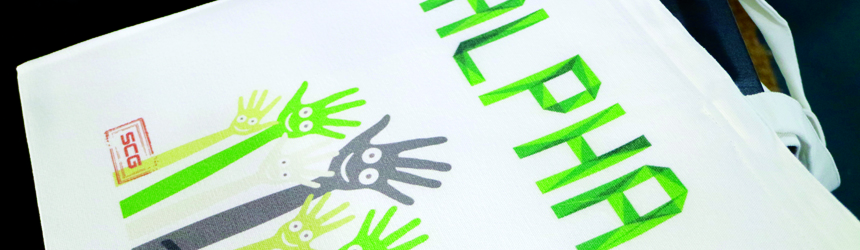
Above: SCG Digital’s dye-sub transfer printers are used in the manufacturing of tote bags.

Transfer Printing
Compared to direct dye-sub printing, transfer methods offer a wider substrate versatility by allowing users to transfer images onto fabrics or rigid substrates in a variety of sizes, weights, and features. Direct dye-sub printers are limited in media options due to the need for coated fabrics and complications with direct printing onto velour and fabrics with less than 50 percent polyester composition.

“You don’t need to use a coated fabric for dye-sub transfer applications, while fabrics must be coated for direct dye-sub,” explains Lily Hunter, product manager, textiles and consumables, Roland DGA Corporation. Direct dye-sub requires a fabric with an ink receptive coating, which is applied by the fabric manufacturer, otherwise, the ink will bleed.

According to Hunter, direct dye-sub is traditionally used for printing flags because the higher saturation allows the flag to be viewed from both sides. Dye-sub transfer typically yields better results for printing graphics with fine lines and greater detail.

Matt Gusse, VP of sales and marketing, Advanced Color Solutions, agrees and says that a transfer printing method controls quality easier and expands the color gamut. Transfer sublimation is compatible with a variety of materials besides fabrics including metal, plastic, wood, and stone.

Gusse says this method also permits paper features like the ability for lower ink consumption, drying additives, ability to stick or be tacky when pressed, a variety of available fabrics, minimum waste, and help for controlling costs. “Clients making mugs/drinkware, license plates, ceramic tiles, photos on metal, key chains, wood tables, phone cases, or pre-sewn wearables are all paper sublimation candidates,” he offers.

Additionally, dye-sub transfer printers offer a lower investment than direct dye-sub printing. According to Gusse, direct dye-sub devices can range between $40K and $150K while wide format transfer devices are available for under $20K for 44-inch wide solutions. Desktop and small format dye-sub transfer printers are available as well.

Users that benefit the most from a dye-sub transfer printer handle a variety of apparel, banners, promotional products, and trade show signage. Specialty materials unavailable in large rolls or too expensive for purchase in high quantities are usually suited for dye-sub transfer printing as well.
“The business that intends to explore a wider range of polyester substrates will likely adopt transfer,” says Kevin Currier, business development manager, digital products, Novus Imaging, an M&R Company. This includes materials that are difficult, wrinkle prone, or stretchy.

Currier believes many welcome the workflow of dye-sub transfer because it allows color management based on the transfer paper and can then be applied to multiple substrates. He offers, “in transfer printing, the paper becomes the known factor and all the settings and quirks of running the paper through the system are then easily managed by the operators. The issues introduced by the fabric are then dealt with at the heat press, which is often easier to handle,” he admits.

Learning Curves
There are challenges throughout the dye-sub transfer process. This includes learning that dye-sub doesn’t have a high light fastness rating and as a result, outdoor applications are limited. To make dye-sub transfer printing more durable for outdoor use, Hunter says substrate manufacturers are working to create special coatings that prolong the outdoor durability of sublimated prints and goods.

The sublimation process is also sensitive to the environment in which the process takes place. “If the temperature or humidity level is too high or too low, that will negatively affect the output,” explains Hunter. Moisture in the substrate or transfer paper can cause bleeding, color shifting, or uneven transfer.

Shauna Malgieri, product specialist, S-One Holdings Corporation, agrees and believes environment and understanding the sublimation chemistry is one of the most considerable challenges of implementing dye-sub transfer printing. To achieve optimal conditions for quality prints, she recommends keeping accurate records of the testing process.

Additionally, Malgieri suggests PSPs consider the types of products they intend to sublimate to. “If it is fabrics, the sublimation is limited to high polyester content-based fabrics. If they want to sublimate to other products, they need to consider the investment in finishing equipment as well as the production space needed for the equipment,” she explains.

Paper selection is also an important factor for achieving desired image quality. Robin Kavanagh, public relations manager, Sawgrass Inc., believes the paper chosen depends on the end product and that it’s important to choose a paper that provides consistent quality. “As is the case with ink, choosing paper simply because it is cheaper can result in greater expenses because of the generation of unacceptable finished materials and other associated wastes,” she explains.

Finishing equipment includes heating presses and sewing machines. Dye-sub transfer printers require a calender device to heat the transferred image onto the application whether that be t-shirts, mugs, or any other fabric or rigid substrate. This requires a more significant amount of space than an inline calender dye-sub system.

According to Greg Lamb, CEO, Global Imaging, a calender is around 25 percent larger than a printer. “If a print shop is considering a three-meter width, there is a significant space requirement for the two pieces of equipment,” he says. This also increases the electrical requirements and costs for operating the printer and heating press.

Before selecting a dye-sub transfer printer, buyers should consider their target width capacity. For wide format applications, printers are available as wide as 130 inches. Additionally, heat transfer units should be explored to ensure the entire dye-sub transfer printing process is efficient.

“Flat heat presses limit the size and throughput for dye-sub, so those who do mostly fabric will opt for a calender unit,” suggests Randy Anderson, product marketing manager, ValueJet Printers, Mutoh America, Inc. Calender units are available in two basic designs—a heated chamber or a heated oil drum.

According to Anderson, the chamber unit typically uses a quartz heater to heat the air in a chamber that the fabric and paper are exposed to. “Since the heater heats air, these can vary in temperature depending on how long the fabric and paper need to be exposed to sublimate and the capacity of the heat to maintain air temperature,” he explains.

Heated oil drums use hot oil with buffering properties, which allows for steady temperatures under varying conditions. Anderson believes a good oil drum can feed more than one printer. They are available in a variety of diameters.

“If a dye-sub printer and an appropriate oil drum calender are chosen and demands increase so that additional capacity is needed, then only additional printers are needed as drum calenders run much faster than a single printer, allowing two or more printers per drum calender,” offers Anderson.

Advancements
Some of the newest advancements for dye-sub transfer printers are influenced by the need for longer operation with little to no intervention. According to Currier, the optimum usage of dye-sub transfer printing entails the user loading the printer with a substantial quantity of paper and print files that are printed with little to no supervision.

“This is difficult in situations where only minimal rolls can be loaded, or the transfer paper is difficult to manage, specifically if wrinkles occur or the paper itself walks left or right,” explains Currier. He suggests systems designed to handle large rolls around 400 lbs to allow for several shifts worth of material. Once combined with a printer that has a print queue, large ink tanks, and reliable printheads, the solution allows for unattended printing.

In addition to longer and uninterrupted operation, dye-sub transfer printers are also becoming faster. For high-speed printing, Jacky Shi, partner, SCG Digital America Inc., says the first step is to ensure the ink can dry immediately before it gets reeled into the take up. It’s also important that the roll paper exhibits the ideal amount of tension.

“A take-up reel that sits in the back of the printer ensures that the image has enough time to dry during high-speed printing,” says Shi. Additionally, dual air compression rollers provide efficient media feeding. To help ensure precision feeding during high-speed printing, tension control systems provide sensors that monitor efficiency and speed.

Some companies increase production speed by implementing more printheads into the dye-sub printer. Although it does increase maximum print speed, Tim Check, product manager, professional imaging, Epson, warns that each printhead increases the cost, lowers the reliability, and increases the challenge to keep multiple printheads producing identical output.

As an alternative for faster textile printing, Check says advancements in hyper-accurate paper feed systems and MPO technology can reduce the number of printhead passes used by 50 percent.

Output Quality
Features like paper tension control, fabric head wipers, take-up reels, and high-capacity ink tanks are important to the overall output produced by dye-sub transfer printers. For example, high-capacity tanks allow unattended runs to keep printing without interruption and provide notifications when ink is low.

Larry D’Amico, director of sales, large format, Durst Image Technology US, LLC, says the printer controls for roll-to-roll media are critical for efficiently using dye-sub transfer printers.

Additionally, the ability to handle a variety of popular stretch media and make adjustments automatically during printing allows for unattended operation. “This provides a significant labor savings, especially in the last shift when you can essentially run with the lights off and no one present,” shares D’Amico.

Built-in technologies and processes help ensure consistent quality output. This includes printhead gap height, waveform control, and nozzle check and recovery. Tommy Martin, product manager, textiles and apparel business development and marketing, Mimaki USA, Inc., says a high printhead gap enables high-quality printing on thin transfer paper without concerns for cockling. Cockling can produce uneven results or even cause a printhead strike. Waveform control is a manufacturer-specific technology that improves visible quality and dot gain.

Nozzle check and recovery works together to enable continuous and unattended printing by ensuring clogged nozzles don’t reduce image quality. Martin says that before printing, nozzle check automatically checks for and cleans clogged nozzles. It also enables mapping of unrecoverable nozzles, so printing can continue.

For higher capacity runs that utilize larger machines, Martin says media handling systems are available to apply calibrated tension to the paper to maintain stable and precise media feed. “Systems such as these also help reduce telescoping of media during take up and eliminate the potential for buckling or creasing during the calender transfer process thereby accommodating long-run, full-roll transfers.”

Transfer Paper Options
Transfer paper is an essential part of the dye-sublimation (dye-sub) transfer printing process. Here, we provide vendors offering this media.

Beaver Paper & Graphic Media, Inc. manufactures TexPrint XPHR. A water-based sublimation paper, it is ideal for transfer graphics to both hard and soft substrates. The material is in stock in roll widths from 24 to 104 inches and weights of 105 and 140 gsm.

Coastal Business Supplies Inc. distributes Sihl Inc.’s SubliColor Sport tacky sublimation transfer paper. The sublimation paper is intended for elastic fabrics with stretch, especially sportwear. It features a heat-activated adhesive that holds the fabric to the paper during the transfer process. SubliColor Sport is a 90 gram paper available from 36 to 64 inches wide.

Felix Schoeller Group’s S-RACE series of digital sublimation transfer papers are available in a range of weights and widths. They feature a microporous coating for fast sublimation, fast drying, and short transfer times. Many papers in the portfolio are suitable for both hard and soft substrates.

Guyenne Papier offers SuniSub, a line of dye-sub papers developed to meet the needs and requirements of markets like advertising, décor, fashion, and sportswear. All papers are compatible with large format printers and inkjet water-based dye-sub inks. Weights range from 63 to 85 grams. SuniSub is also available on jumbo reels for high productivity or finished rolls for plotters.

Released in May 2017, The Mosaica Group’s Achieva XtremeJet high-performance dye-sub paper is available in a variety of sizes up to 126 inches and in lengths from mini to jumbo rolls. XtremeJet is comprised of 100 percent pulp-based paper with no fillers. According to the company, XtremeJet provides an estimated ink savings of 18 to 30 percent and enables a reduced heat press temperature.

Neenah Coldenhove provides a variety of digital dye-sub paper that is available in roll widths between 44 and 126 inches and in roll diameters from 16.5 to 35.5 inches. This includes Jet-X, a 57 gram paper developed for regular water-based sublimation inks and inks with high glycol content. Jet-X is compatible with plotter printers and industrial printers and is intended for fashion and home furnishing applications.

Pritchard Paper Products Co. Ltd. offers Neenah Coldenhove products including the Jetcol series of sublimation transfer paper. Jetcol ranges from 36 to 129 inches wide and is offered in a variety of gsm grades and specialized coatings. The Jetcol series includes Jetcol HTR1000, Jetcol HTR3000, Jetcol HTR3500, Jetcol HTR4000, Jetcol TA, Jetcol High Speed, Jet-X, Xtreme, and Xtreme Lite.

Roland DGA Corporation’s DSM-RTP Texart Sublimation Transfer Paper was released in March 2015. It’s available in 64-inch wide rolls with 95 gsm and a cellulose coating. Texart has a 4.8-mil caliper and is recommended for use with Roland Texart printers and inks. Each roll costs $259.

S. Walter Packaging Industrial Division converts rolls in a temperature and humidity controlled environment. The company provides calender protection tissues and offers transfer paper roll converting services. Its involvement in dye-sub transfer lies in providing the right calender protection tissues that properly match the ink level, fabric type, and heat press for each customer.

Released in 2014, Supply55, Inc. offers Prime Sublimation transfer paper from 24 to 64 inches. It’s compatible with all water-based dye-sub ink, sublimation fabrics, and rigid substrates. The non-tacky paper is available for $228.95. The transfer paper utilizes Full Release Technology to provide faster dry transfer and ink absorption.

Transfer Printing
Using a variety of substrates, dye-sub transfer printers offer high definition and vibrant colors for indoor signage, home décor, and fabrics. Before selecting a dye-sub transfer device, consider if the transfer printing method best suits your targeted offering. In addition, the work environment needs to maintain low humidity and controlled temperatures as well as fit a heat press.

Mar2018, Industrial Print Magazine